Sunday, 19 June 2016

Interviewing

Over the last year, we have been discussing lots of video techniques we can employ in our own videos to make them more appealing to our viewers. The time has come to put some of those techniques into practice. So from Term 3, starting 19 July for this club, we will start each meeting concentrating on video subjects and topics we have set as challenges. I do hope that more members will from now on participate not just the few who have in the past. If  you need help with these, please talk to me.

At the last meeting, we looked how a BBC documentary was constructed. Including interviewing techniques, especially using cutaway shots make a lengthy interview more interesting. 

So, on Tuesday when we go on a video shoot at Roma Street Parklands, the challenge will be for members to include a short interview either from another member or a voice-over from the videographer while shooting. 

Use either a tripod or a steady handheld method
Then when you are editing your footage in your editing software, insert some cutaway shots to break up the interview.


If you are not totally sure of how this is done, feel free to come and talk to me.

SEE YOU ON TUESDAY 11am
AT THE MELANGE CAFE
ROMA STREET GARDENS.


Friday, 3 June 2016

Next Meeting Tuesday 7 June - 11.00am

Hi Members,

Bring along your short videos for us to enjoy on Tuesday morning. For the main topic, we'll closely examine the structure of a BBC documentary and look of how it is put together and what we can learn from it in our own film making.


SEE YOU ON TUESDAY


Tuesday, 17 May 2016

Next Meeting - Tuesday 24 May - 11.00am

Hi Members,

Wasn't it fun last Tuesday at the Brisbane Tramway Museum. The volunteers there really did a great job running the various trams just for us, as well as providing us with morning tea. We were very privileged to experience their hospitality.


Hopefully we can all enjoy some of your 1 - 2 minute clips of that event next Tuesday. Or anything else you have to show us.

The main topic of the meeting will be presented by Roy, who is going to give us a demonstration of Adobe Premier. which a few members are now using. 


Adobe Premier Editing Software


SEE YOU ALL NEXT TUESDAY

Tuesday, 19 April 2016

Enhancing your Videos

Now that you have shot and edited you video footage, it is time to spruce it up and turn it into a worthwhile production.

As you would cook a meal and serve it to your friends, you would add condiments to enhance the flavour before you'd serve it up. You wouldn't want them to eat a bland meal as you wouldn't want them to watch a boring video.

1 - VIDEO QUALITY

Whichever formt your video editor compiles your project into, convert it to MP4, using H.264 Codec. H.264 was created to provide good video quality at substantially lower bitrates than previous standards. Consequently it uses less memory but provides good quality video.


Most likely your video editing software can or will already compile your vide into H.264 format. If not, there are free or inexpensive video format converters on the market that let you do that.

2 - TITLES

All editing software has the capability to let you add titles and sub-titles to your videos. BE CREATIVE. Don't just use the first title that is available to you. To really make a title stand out, pick a complementary piece of music just for the title sequence.

Here are some basic titles available from most editing software


3 - Subtitles

Don't be afraid to use subtitles to point out events, locations or important information. Your editing software has ready-made templates of subtitles. But if you really want to be unique, create your own templates with your graphics software. Your limit is your imagination. here is one I created with Photoshop.


How about creating your own, using a graphics program, such as Photoshop, Gimp etc.

Title created in Photoshop

How to do this:

In Photoshop create the title behind a 'Green Screen'


In your editor, place the 'Green Screen' above the timeline containing the scene that will carry the title.


Then 'key' in the green title, and the text will be displayed in your scene.


4 - Sound and Sound Effects

Your sound track is very important. Research your music. Use upbeat music in fast paced videos, and slower tracks when the action is subdued. Add appropriate Sound Effects to enhance your video quality. Sound can totally transform a video. Check this out. Here is a simple title scene modified with spooky music and a few SFXs.


Tuesday, 22 March 2016

Last meeting of term 1

Hi Everyone,

Today we had the last meeting of Term 1 for the year.

We saw some terrific videos this morning of the recent Berrinba outing as well as Will's London Experience and Roy's recent visit to RAAF Amberley. It's very good to see members adopting some of the filming and editing techniques we've been talking about this term.

As our main topic, we talked about Composition of our videos.

Rule of Thirds

Golden Ratio also known as the Fibonacci  Spiral

Use triangles to frame shots

Full Shots

Medium Shots

Close Shots


Balanced Shots

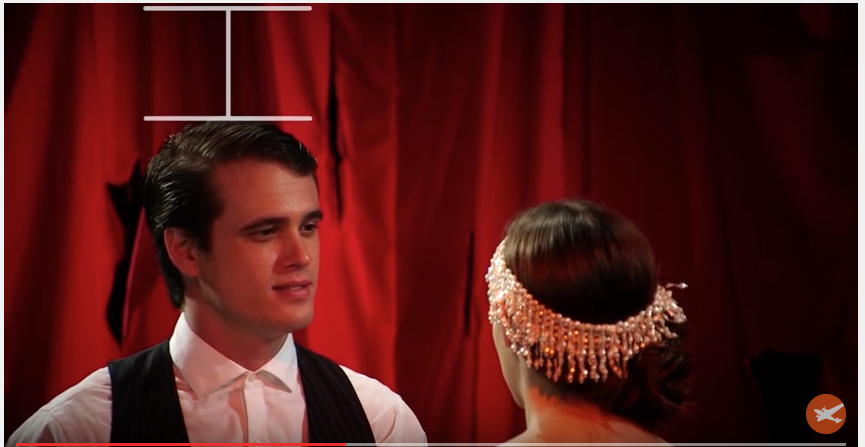
Leave some headroom to balance the clip

Not too much or the clip looks unnatural

Don't cut the Chin
For Close shots it's ok to cut the top of the head
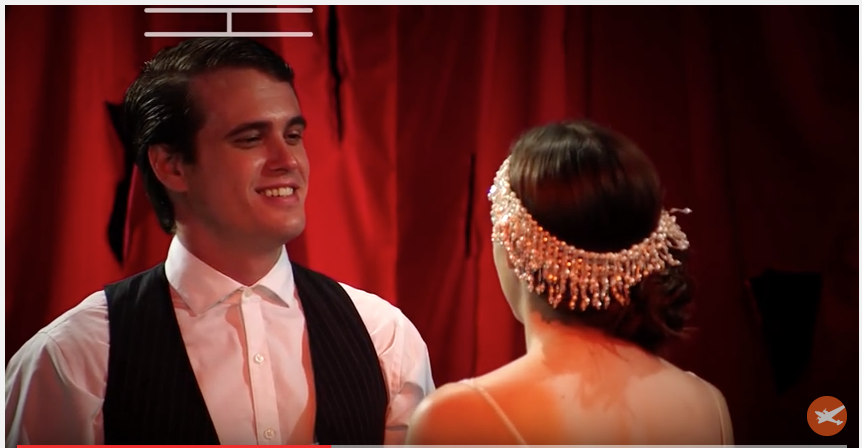
Person looking out of shot looks trapped and confuses the viewer


Person looking out of shot looks trapped and confuses the viewer

These were a few tips we talked about Composition this morning.

We're now on a break. From Term 2, we'll only meet on the 1st and 3rd Tuesdays of the month. Term 2 starts officially on Monday 11 April so we therefore resume again on Tuesday 19 April, being the 3rd Tuesday of the month. Keep producing your videos over the break and bring along some 1minute videos using some of these composition rules.


Saturday, 19 March 2016

Next Meeting (and last for this term) 22 March

Hi Everyone,

I hope we'll be able to see lots of videos from Berrinba last Tuesday. I am looking forward to those.

The main topic we'll be discussing is one of the most important subjects of any film maker:

COMPOSITION

We'll be looking at a video from another Brisbane filmmaker who will show us how to properly compose our shots.
We look at framing a shot
We'll explain using lines

We'll look at how to use patterns

SEE YOU ON TUESDAY


Wednesday, 9 March 2016

Tuesday's Meeting

On Tuesday, we expanded the topic of our excellent guest speaker, professional filmmaker  Hayden Lowry from the previous meeting, namely GIVING OUR VIDEOS THE FILM LOOK.

We took a brief history lesson of how come we use 24 (25) frames per second in connection with a shutter speed double of that 1/48 (1/50). Simply because at those figures, a film looks reasonably true to the eye and it is most economical in film and developing costs, so these values have been retained even now that most of us use digital video recording methods.


We looked at the various picture ratio formats film makers use on their productions.


We looked at colouring our videos to give them 'The Film Look'. Especially the 'In Look' Blue and Orange.


We also discussed how we can turn our videos from 'Day' to 'Night' look.


Finally, Roy showed us how to capture smoke in front of a black screen and superimpose it onto a video clip. And Rod showed us his video of his recent cruise experience.

So on Tuesday 15 March 2016, we go on a film shoot as follows:

LOCATION:
BERNINBA WETLANDS
WAYNE GOSS DRIVE
BROWNS PLAINS 4118

TIME:
9.00am

The aim is to not only film the wildlife and flora but also to concentrate on filming each other, filming. A bit like 'Behind The Scene' documentary And then give it The Film Look in post processing.

SEE YOU AT BERINBA ON TUESDAY 9am